
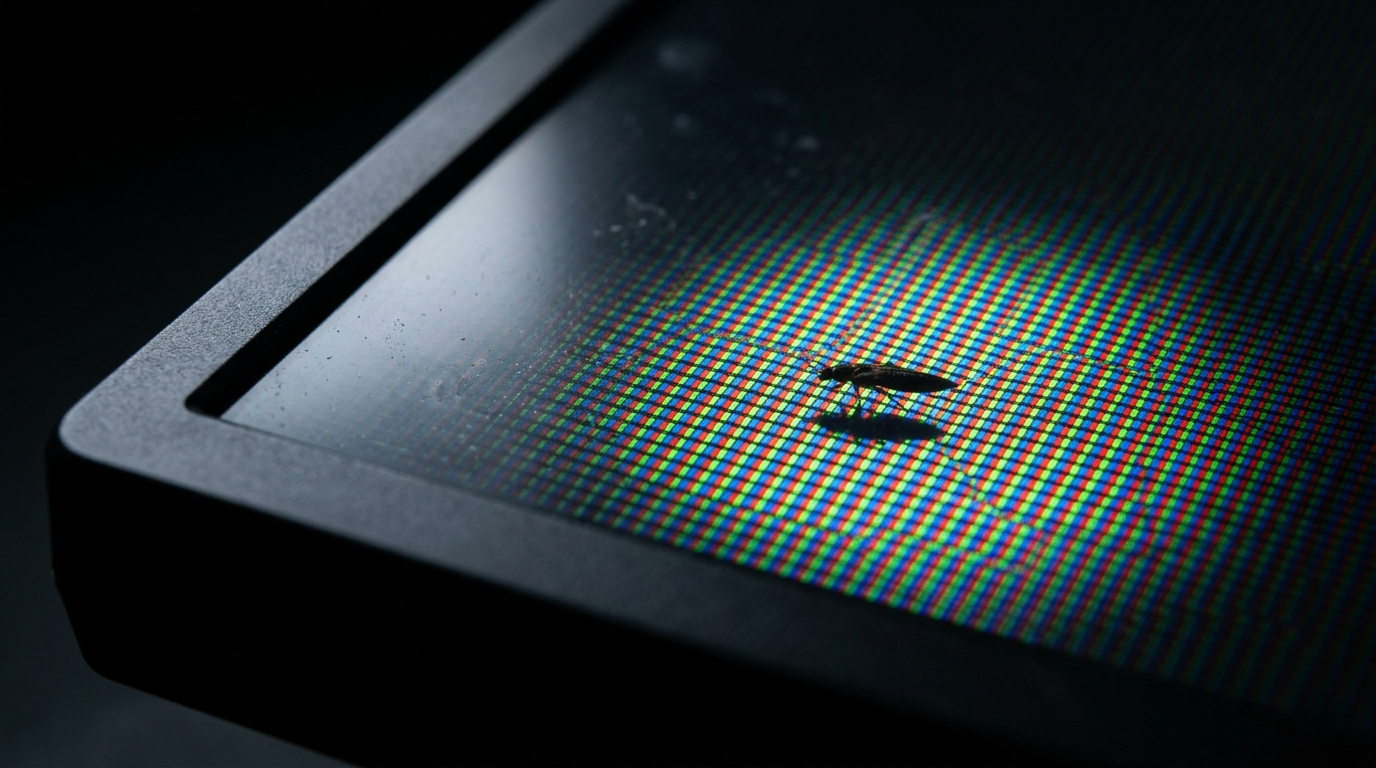
You are sitting at your desk and notice a tiny moving speck inside your monitor. It is not on the surface. It is inside the display itself.
Before you panic or press on the screen, stop. The single worst thing you can do right now is push on the panel. That one mistake permanently kills pixels and traps the insect where it will never come out.
An insect inside a computer screen is more common than most people realize. Monitors are not completely sealed. They have tiny ventilation gaps that allow heat to escape, and small insects can squeeze through these gaps attracted by light and warmth. In the majority of cases, the monitor is not damaged and the insect can be encouraged to leave on its own.
Is It Really an Insect? How to Tell

Before doing anything, confirm what you are actually looking at. Not every spot inside a screen is a bug.
Clean the Surface First
Take a dry microfiber cloth and gently wipe the screen surface. If the speck disappears, it was dust or debris sitting on top of the glass. If it stays in the same position and nothing changes, the object is between the display layers, not on the surface.
Watch for Movement
A live insect will move, even very slowly, especially if the screen is warm. A dead insect will stay fixed. Dust and dead pixels never move at all. If the speck moved even slightly over the past few minutes, it is almost certainly a live insect.
Check Focus and Sharpness
Objects trapped inside the display appear slightly soft or blurred compared to content on screen. A scratch or debris on the glass surface appears sharp and in focus. If the speck looks slightly out of focus, it is inside the panel layers.
Diagnosis Table
| What You See | What It Is |
| Moving speck, disappears after wiping | Dust on screen surface |
| Moving speck, stays after wiping | Live insect inside the display |
| Fixed dark dot, not in screenshot | Dead insect or dead pixel |
| Soft and blurred appearance | Object inside display layers |
| Sharp and in focus | On the glass surface, not inside |
| Tiny bright or colored dot, never moves | Dead pixel or stuck pixel |
What Causes Insects to Get Inside a Monitor?

Ventilation Gaps in the Monitor Housing
LCD and LED monitors are not hermetically sealed. They require small ventilation paths to prevent internal components from overheating. These gaps, while microscopic to the human eye, are large enough for thrips, gnats, mites, and other tiny insects to enter. This is a design reality of every monitor ever made, not a manufacturing defect.
Light Attraction
Screens are one of the brightest light sources in most rooms. Insects are instinctively attracted to light, especially at night. When a small insect is near a monitor, it gravitates toward the light and can find its way through a ventilation gap and into the display housing. This is significantly more common during warmer months when insect activity is highest.
Heat
Operating displays generate warmth. Insects seek warm environments, especially in cooler seasons. A running monitor is an appealing heat source and insects will investigate and enter through any available gap. Budget and older monitors with larger gaps are more vulnerable than modern sealed premium displays.
Workspace Conditions
Open windows near the desk, indoor plants, food at the workstation, and high humidity all increase insect activity in the room. The more insects present in the environment around the monitor, the higher the chance one finds its way inside. This is not a reflection of workspace cleanliness. Even perfectly clean offices experience this issue.
Can an Insect Inside a Screen Damage the Monitor?

In the vast majority of cases, no. A trapped insect typically remains between the outer optical layers of the display and does not reach the electronics or the LCD matrix itself. Most insects that enter a monitor either find their way out on their own or die in a location that does not significantly affect the image.
The real damage risk comes from how people react. Pressing on the panel to push the insect out, using liquids near the screen edge, or forcing open the monitor housing without experience all cause permanent screen damage that the insect itself would never have caused.
If an insect dies in a visible location, it may leave a dark mark that resembles a stuck pixel. However, over weeks or months it can decompose and become less visible, or fall to a less noticeable position inside the monitor housing.
How to Remove an Insect from Inside a Computer Screen

Work through these steps in order. Patience is the most important tool here.
Stop Using the Monitor and Power It Off
Turn the monitor off completely and unplug it from power. A dark, cool screen removes the two main attractions for the insect: light and heat. With no light and no warmth, the insect is far more likely to move toward the edge of the display and find its way out through the same gap it entered. Leave the monitor off for at least 30 to 60 minutes.
Tilt and Reposition the Monitor
Gravity can help. Tilt the monitor so the bottom edge faces upward or angle it so the side where the insect is closest to an edge faces downward. This may encourage the insect to crawl toward a gap and exit. Do this gently. Avoid shaking or tapping the screen surface.
Apply Compressed Air Around the Edges
Using a can of compressed air, apply short bursts around the corners and edges of the monitor bezel, not directly at the screen surface. The airflow can encourage a live insect to move toward an opening. Hold the can upright and use short controlled bursts. Do not insert the nozzle into any gaps. Never spray liquids or cleaning sprays anywhere near the monitor edges.
Use Gentle Warmth on the Opposite Side
For a live insect, you can create a temperature gradient to encourage movement. Apply a warm (not hot) lamp or a hair dryer on the lowest setting to the opposite side of the screen from where the insect is located. The insect will move away from the warmth toward the cooler side, which you position near a ventilation gap. This technique requires patience and should be done carefully without overheating the monitor.
Wait
This is the most effective strategy for live insects. Leave the monitor off, position it with the nearest edge facing down, and wait. Most live insects exit within 24 to 48 hours when the light and heat are gone. Many Reddit and Tom’s Hardware users have reported their insect simply left on its own after the monitor was left off overnight.
Professional Disassembly (Last Resort)
If the insect is dead and in a location that significantly affects your view, professional disassembly by a technician is the only remaining option. A technician can carefully open the monitor housing, remove the insect, clean the optical layers, and reassemble the display. This costs $40 to $80 at most repair shops. Attempting this yourself without experience risks permanent damage to the display panel, optical films, and cable connections.
What NOT to Do

These mistakes cause more permanent damage than the insect ever could.
- Never press on the screen surface to push the insect toward an edge. This crushes the LCD crystals and creates a permanent pressure bruise.
- Never spray insecticide, cleaning fluid, or any liquid near the monitor edges. Liquid entering the display will cause far worse damage than any insect.
- Never use a sharp object to try to poke the insect out through a gap.
- Never shake or tap the monitor hard. Vibration stress can damage internal connections.
- Never attempt to open the monitor yourself unless you have electronics repair experience and the device is out of warranty.
How to Prevent Insects from Getting Inside Your Monitor

Workspace Habits
Do not eat at your desk. Food crumbs and smells attract insects. Keep the area around your monitor clean and free of standing water, potted plants with moist soil, and food waste. These are the most common insect breeding and attraction sources in a home office.
Monitor Covers
When the monitor is not in use, particularly overnight or when windows are open, use a monitor dust cover. A simple fabric cover blocks insects from accessing ventilation gaps entirely. Covers are inexpensive and available for all monitor sizes.
Reduce Screen Brightness at Night
Lower monitor brightness during evening hours or switch to Night Mode which warms the color temperature and reduces the blue-white intensity that attracts insects most strongly. A dimmer, warmer screen is significantly less attractive to flying insects than a bright cool-white display in a dark room.
Room Management
Close windows near your desk after dark during insect season. Use window screens where available. A small desk fan blowing across the monitor creates airflow that insects avoid and also helps cool the monitor, reducing heat attraction. Avoid indoor plants immediately next to the monitor as moist soil is a common breeding source for fungus gnats and other tiny insects.
Frequently Asked Questions

Will the insect die inside my monitor?
A live insect with no light or heat attracting it will typically exit within 24 to 48 hours. If the monitor stays on, the insect may stay longer or eventually die inside. Turning the monitor off gives the insect the best chance of leaving on its own.
Can the insect damage my screen?
The insect itself almost never causes screen damage. The biggest risk is improper removal attempts by the user. Do not press on the screen and do not spray liquids near the edges. Either action causes permanent damage that the insect never would.
Is a spot that does not move an insect or a dead pixel?
Take a screenshot and check. If the spot does not appear in the screenshot, the cause is physical and inside the display. Use the blur test: if the spot looks slightly soft or out of focus, it is an object inside the display layers. If it looks sharp and in focus, it is on the surface. A dead pixel appears in exactly the same position permanently and never looks out of focus.
How much does professional removal cost?
Professional disassembly and removal of an insect from inside a monitor costs $40 to $80 at most repair shops. If the monitor is under warranty, contact the manufacturer before paying. Some manufacturers service units with foreign object contamination under warranty if no physical damage was caused by the user.
Which insects most commonly get inside monitors?
Thrips (also called thunderflies or thunderbugs) are the most common. They are extremely thin insects, roughly 1 to 2 millimeters long, that are barely visible to the naked eye. Fungus gnats, fruit flies, and small mites are also frequently reported. In warmer climates, ants and small beetles occasionally enter larger monitors through edge gaps.
Final Verdict
An insect inside your computer screen is alarming but it is almost never a crisis. The monitor in most cases is perfectly fine and the insect will leave on its own if you remove the attractions of light and heat by turning the monitor off.
The golden rule: do not press the screen. That single mistake causes permanent pixel damage and traps the insect permanently. Turn off the monitor, tilt it, try compressed air around the edges, and wait. In the overwhelming majority of cases, the insect leaves within 24 hours.
If the insect is dead and bothering you enough to warrant repair, a professional can disassemble and clean the display safely for a modest fee. Your data, GPU, and other components are completely unaffected.
| About the AuthorBen is the founder of screenproblems.com, a resource dedicated to diagnosing and solving display issues on all devices.All content is written without brand sponsorship. Every recommendation is based on what actually works. |